Artificial Intelligence. It’s a word that’s been used a lot more often in today’s day and age. AI has come into play in numerous different industries in recent times, from corporate settings to creative and artistic fields. We wanted to explore how AI has come into play in the world of music, with streaming services like Spotify having included their AI DJ function that helps personalise your listening experience to make sure that you’re matched with the perfect playlist for the vibe you’re feeling that day.
However, in this article, we tackle the part before streaming services — the integration of AI into music creation. We came up with a list of four AI music creation tools and compared the functions that they offer, scoring them on a scale of one to five in two categories: “ease of song and/or melody generation” and the extent of “personal touch.” With this deep dive, we hope to see if an artist's signature flair gets lost in the robotic conformity or if these websites help you enhance your identity as an artist by helping you highlight your distinct flair
Mureka
The first AI music creation platform that we tried was Mureka. The interface was easy and simple to use. The first step to creating my very own song under the custom function was to type in a few lyrics that I wanted to be included in the song.
Following that, the second step before generation was to put in the genre that I wanted the song to follow. For my genre, I decided to choose “a 2000s pop punk sound that is reminiscent of My Chemical Romance or Fall Out Boy.”
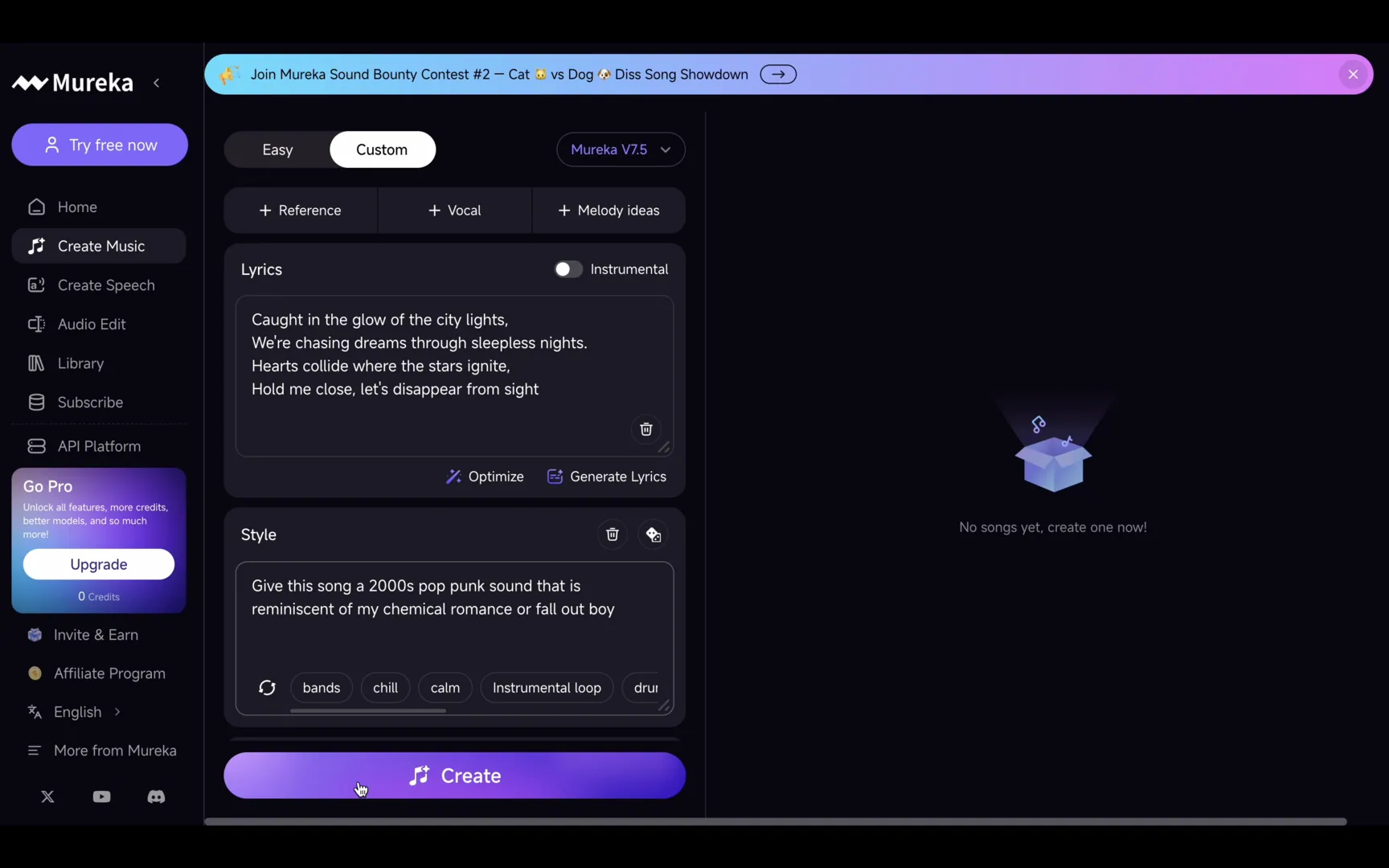
Before generating, Mureka also presented me with the option to draft out full lyrics for the song based on the short verse that I provided. Within seconds, I had a full song with lyrics that were based on my theme.
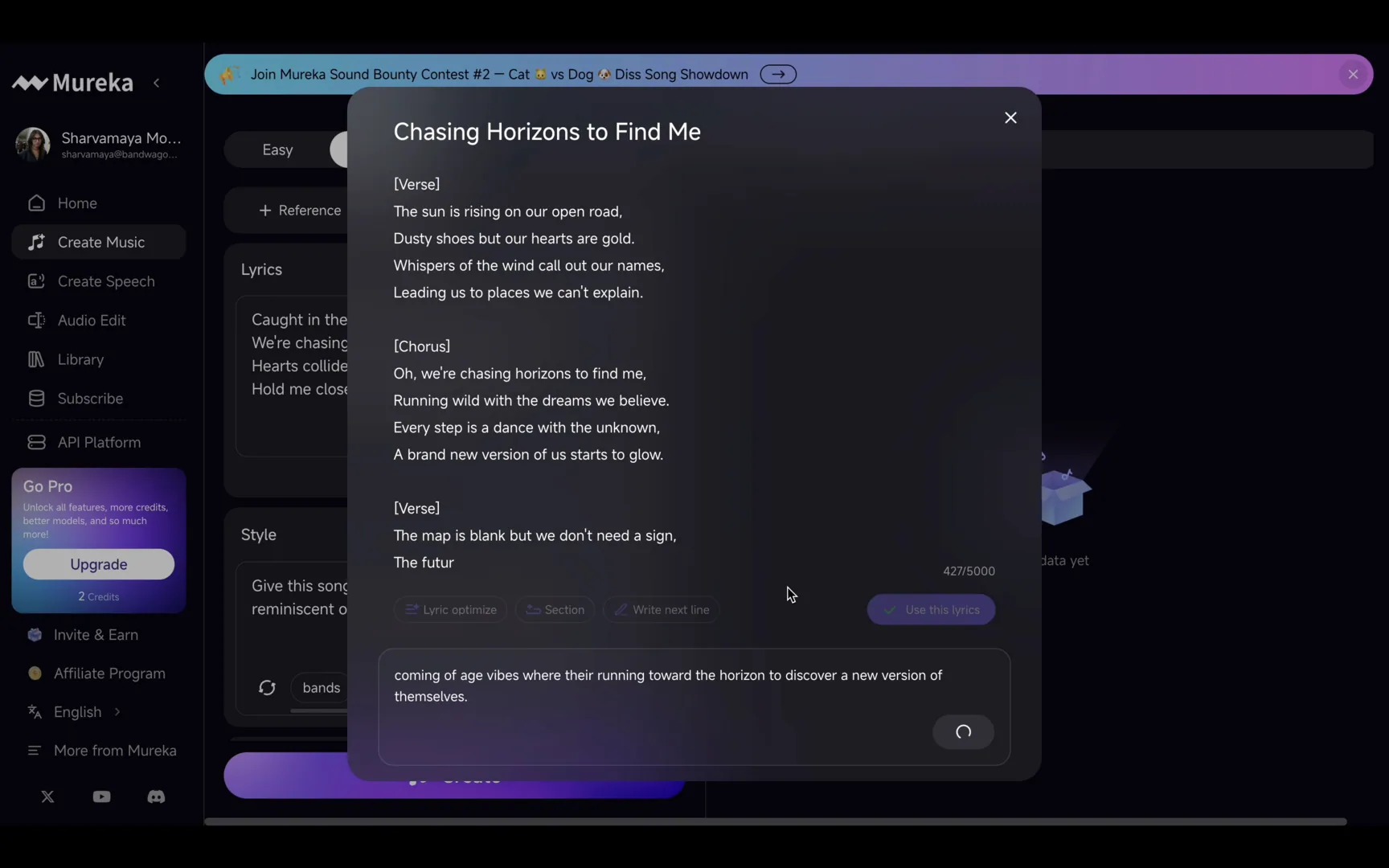
With my new lyrics, it was time to generate the song. After generating, Mureka gave us two different versions with two different melodies to choose from.
Overall, the demos were aligned very well with the genre prompt that was provided, with a solid melody and all the trademark traits of a successful Y2K pop-punk anthem about following your heart to the ends of the horizon.
However, since we were using a free version of the software, there were not many functions that allowed us to infuse our own personal touch into the music. The function of recording your own vocals was listed under being a pro feature.
Ranking Mureka’s Free Plan:
Ease of song and/or melody generation: ⭐️⭐️⭐️⭐️⭐️
Ease of infusing your personal touch: ⭐️⭐️
Demo 1
Demo 2
Suno Studio
Secondly, we gave the website Suno Studio a spin. Similar to the interface of Mureka, we used the custom mode to create our track, with the first few steps — the input of the lyrics and the genre prompts — being similar.
For this second song, we decided the genre should be “a dreamy, funky, and psychedelic shoegaze beat.”
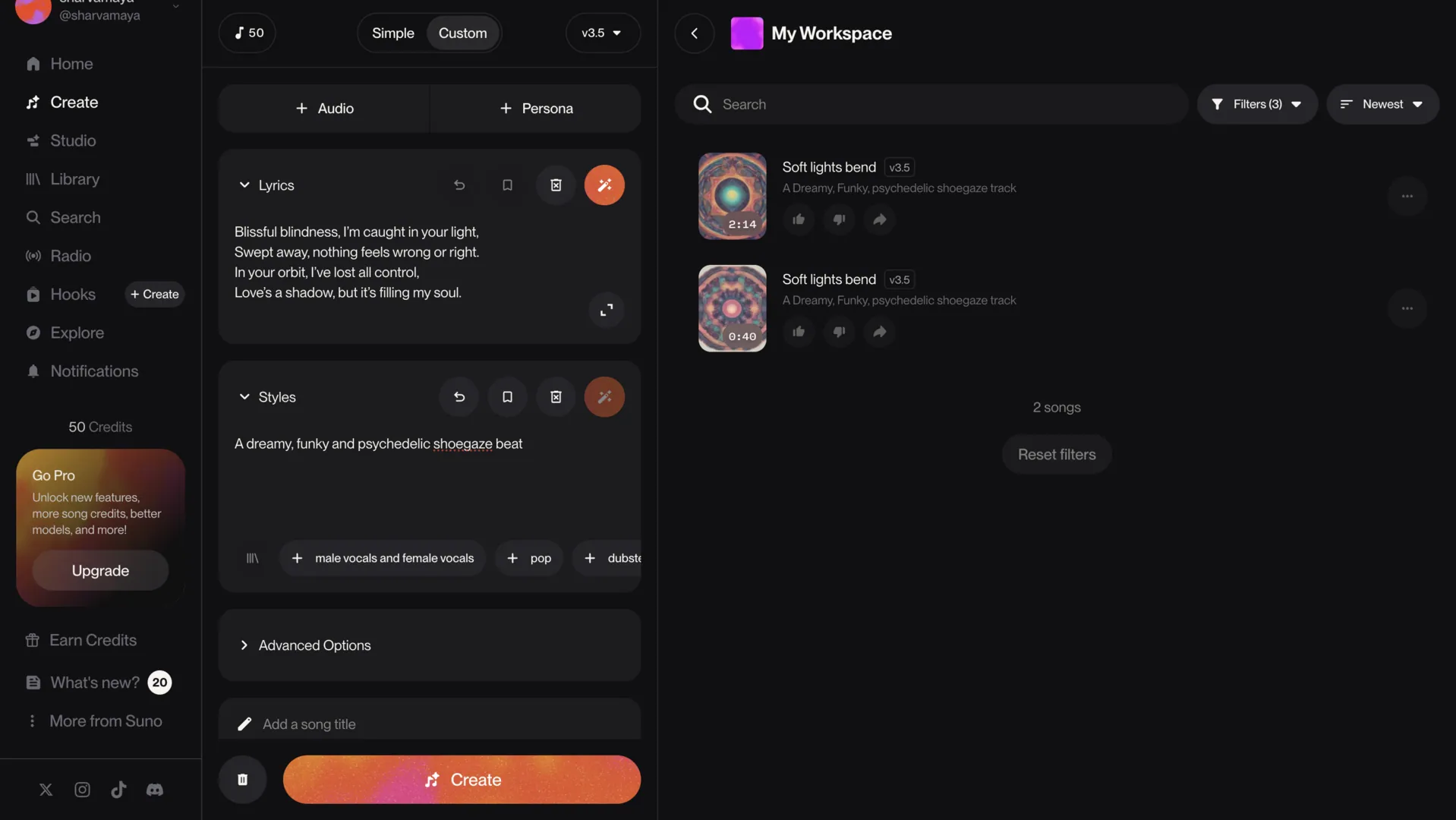
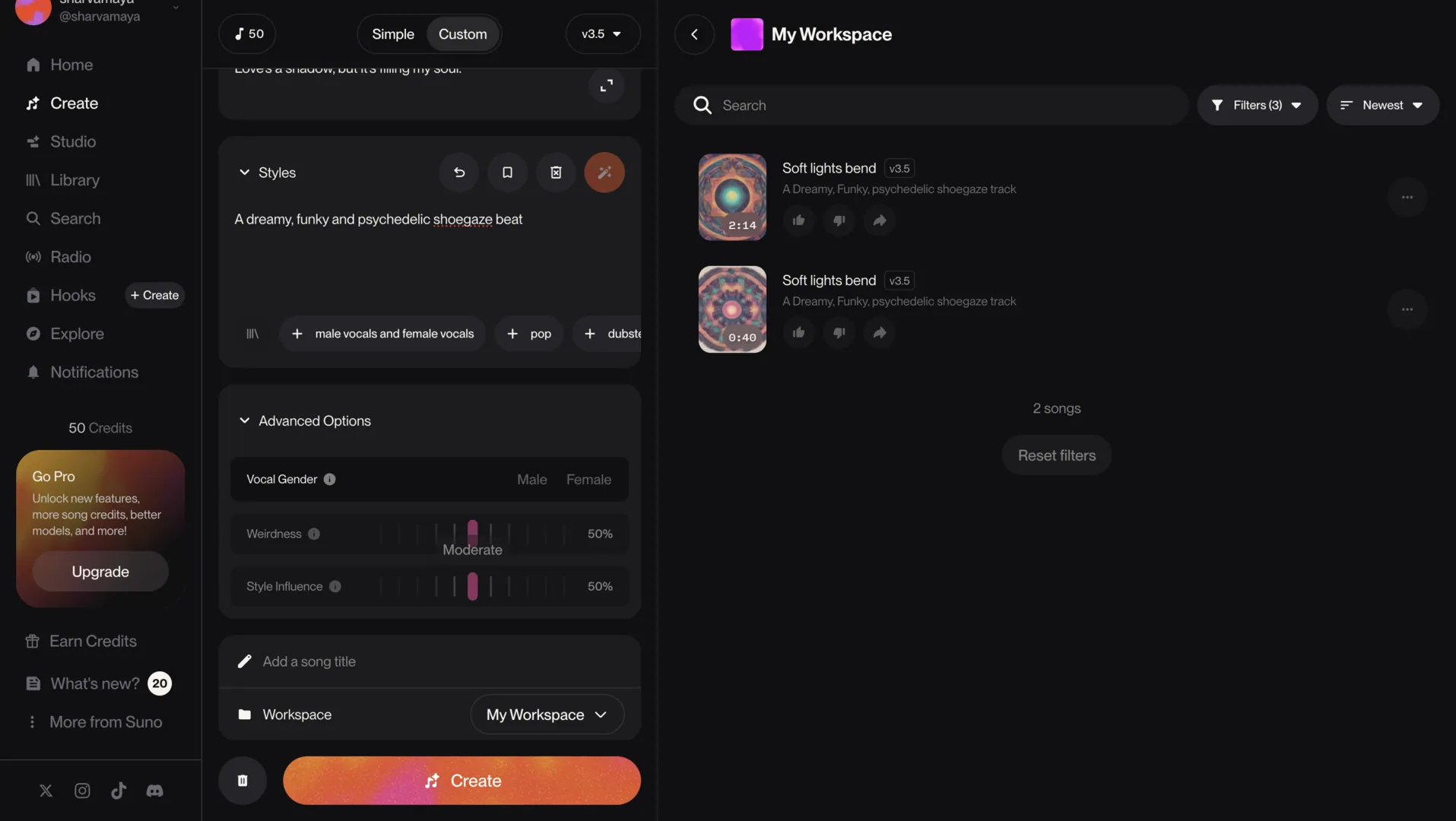
Where Suno Studio stood out was with the customisation ability, where users had the choice to have the vocals on the track be by a male or female. There was also a choice to add in a song title to add more of a personal touch.
Additionally, there were dials to control the “weirdness” levels and “style influence”; however, that could only be unlocked with an upgrade to a pro account.
Once all that information was added, it was time to generate. Suno Studio gave us four tracks, with only two of them being available for listening in full — the other two tracks being short previews that could only be unlocked in full with an upgrade to a pro account.
In conclusion, the two demos were spot-on with the suggested genre prompt, and they utilised the lyrics that we provided well. However, they did not have a full song’s worth of lyrics since Suno Studio did not have a lyric generation feature.
Yet, the songs incorporated the right amount of funk with the deep, hypnotising bassline and captured the dreamlike vibe with the airy and soft vocal style.
Ranking Suno Studio’s Free Plan:
Ease of song and/or melody generation: ⭐️⭐️⭐️⭐️
Ease of infusing your personal touch: ⭐️⭐️
Demo 1
Demo 2
Musicful
For the third AI tool that we tried out, we decided to give Musicful a chance. One standout difference between Musicful and the two previous tools (Mureka and Suno Studio) was that there were far more functions that were restricted in the free mode of the app. For instance, being unable to download or even share the demo tracks, and only being able to generate one cycle of results, which had two AI demos from a prompt.
Moving on to the overall experience that we had using the app, visually, the interface had a similar look to Mureka and Suno Studio — making the website easy to use. The first step was to put in the genre and the fundamental vibe that we wanted the song to have. We entered the prompt, “a whimsical and magical tune, similar to something by Fleetwood Mac or The Cranberries.”
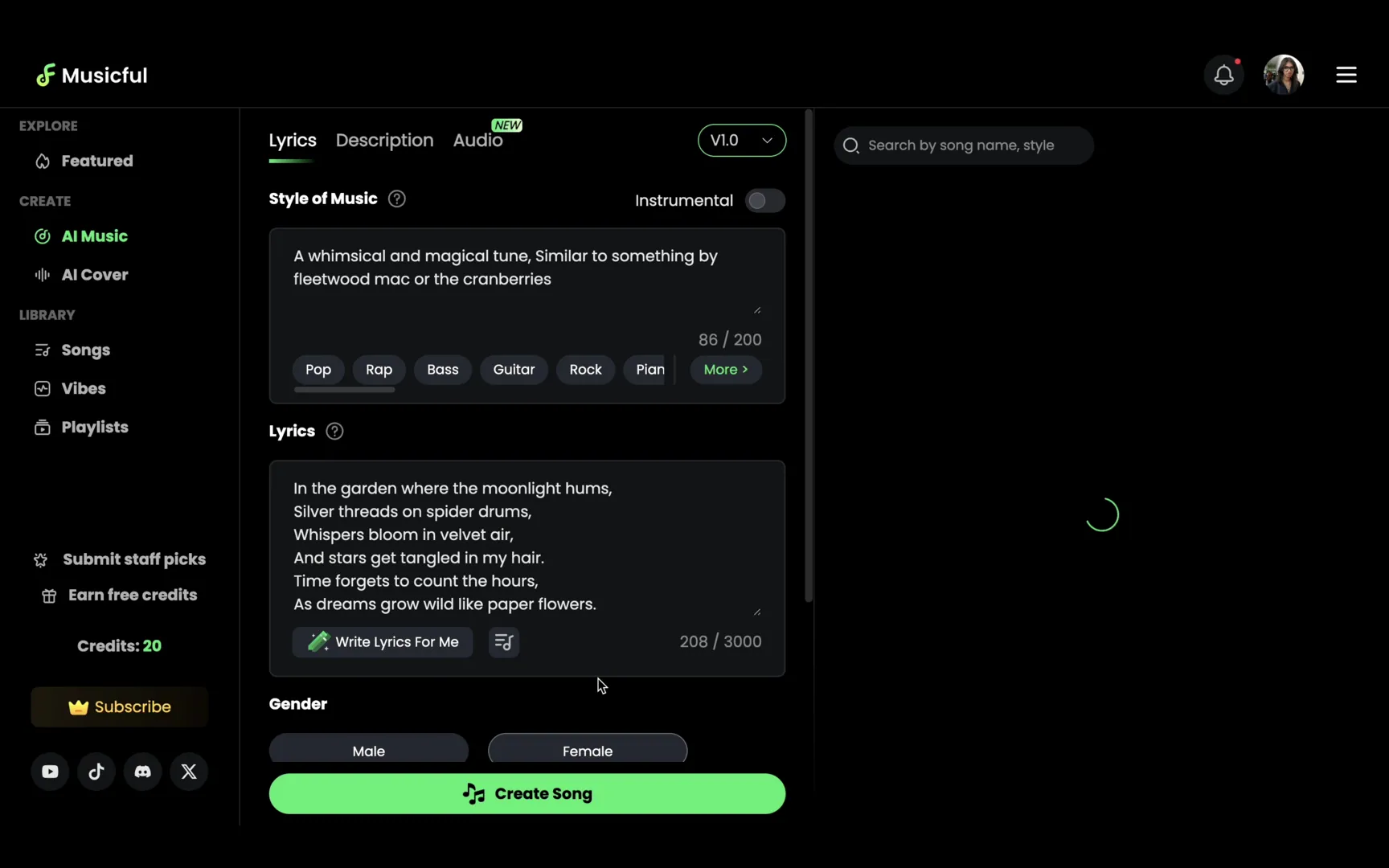
After that, we added in some lyrics that were enough to make up a verse of a song. However, Musicful also had the ability to generate lyrics just by providing a rough guide to what the lyrics were about. So, we input a prompt for the lyrics that said, “a secret garden where all your dreams come true.” Some of the lyrics that Musicful provided us were, “In the secret garden, dreams come alive, where wishes bloom and hopes survive.”
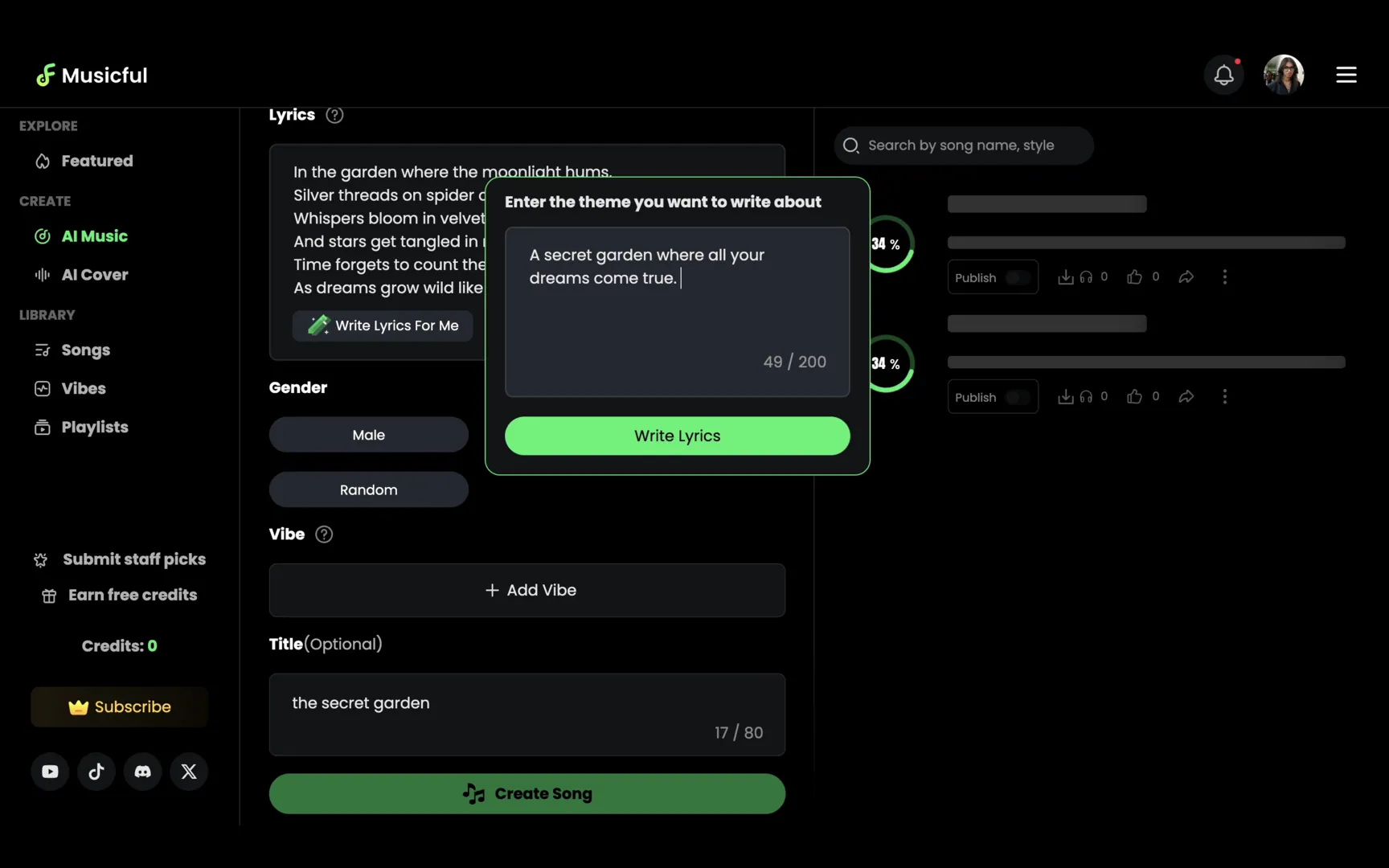
Finally, we chose the gender of the AI vocals, selected a female voice, and added our own title for the track, naming it ‘the secret garden’. With that, it was generation time! With the new lyrics, Musicful came up with two demos. Upon listening to the two demos, we felt that the instrumentals of the first demo was not too aligned with the overall vibe that we put into the prompt, as it leaned toward being too old-fashioned instead of retro-inspired.The second demo showed a bit more promise, with the dreamy vocals and tinge of folk rock sound as well.
Ranking Musicful’s Free Plan:
Ease of song and/or melody generation: ⭐️⭐️⭐️
Ease of infusing your personal touch: ⭐️⭐️
Boomy
The fourth tool that we tried was Boomy, which definitely had the most difference in terms of interface and creation model compared to the previous three websites. Boomy provides six different genres for users to choose from, including Electronic Dance, Rap Beats, Lo-Fi, Global Groove, and Custom. We chose the Custom genre to compare it with the custom functions of the other websites we tried.
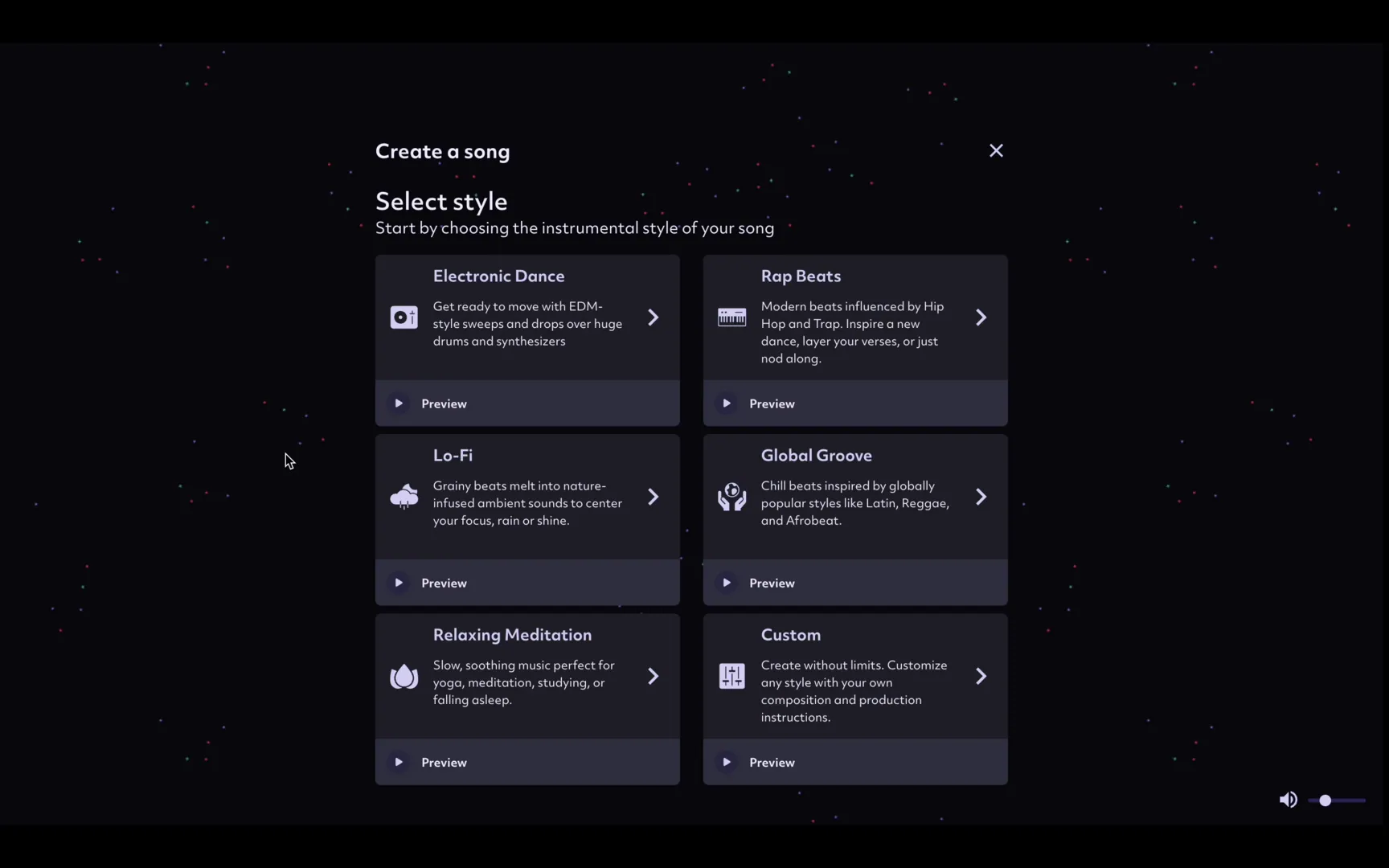
Since Boomy was targeted more toward creating instrumental songs instead of songs with lyrics, that option was not presented. Instead, we were able to choose from a set range of the style or genre of the composition, where we chose Jammin’ under the category Global Groove.
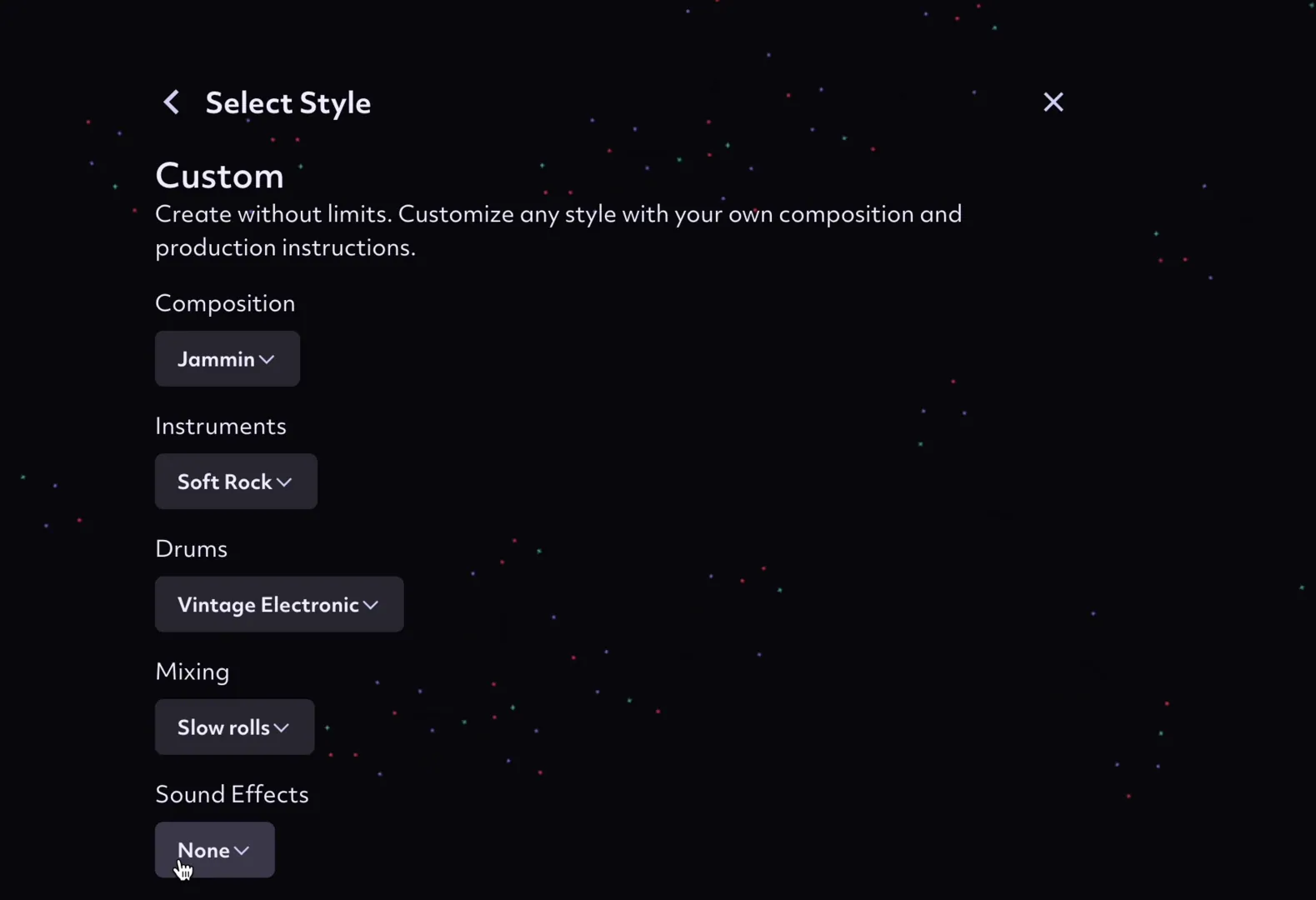
We were also able to choose the overall vibe of the instrumentals, drums, and mixing styles we wanted to incorporate, as we chose soft rock instrumentals, vintage electronic drums, and a slow rolls mixing style. There were also dials that allowed for the tweaking of tempo and lead, bass, chord, and drum density. We turned up the tempo to 67 and jumped right on to the generation.
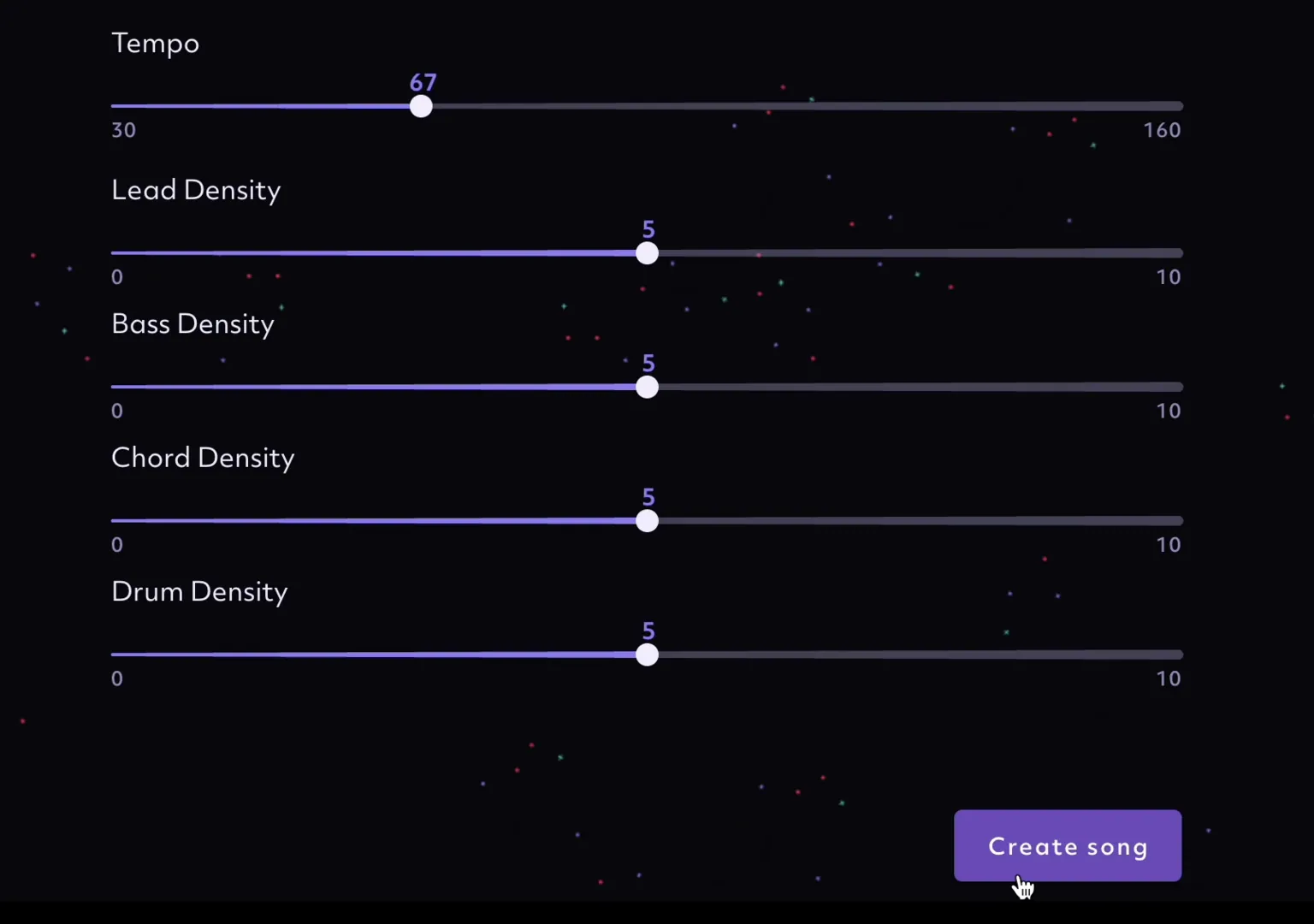
Once our instrumentals were generated, we were able to edit the song name and artist name that the song had — naming the track 'Bandwagon Banger' by Bandwagon Asia. There was also a function to add vocals. There was a custom vocal option and an auto vocal option. The auto vocal option had the ability to “turn 30 seconds of spoken audio into a complete song,” whereas the custom vocal option allowed full liberty to “freestyle and record anything over the track we’d generated.”
Under both options, we were able to generate AI lyrics by adding a prompt about what we wanted our song to be about. We added in the prompt, “a song about the sky falling down without the person you love by your side.” With that, we had AI lyrics and the option to upload our own vocals to make the song truly ours as well.
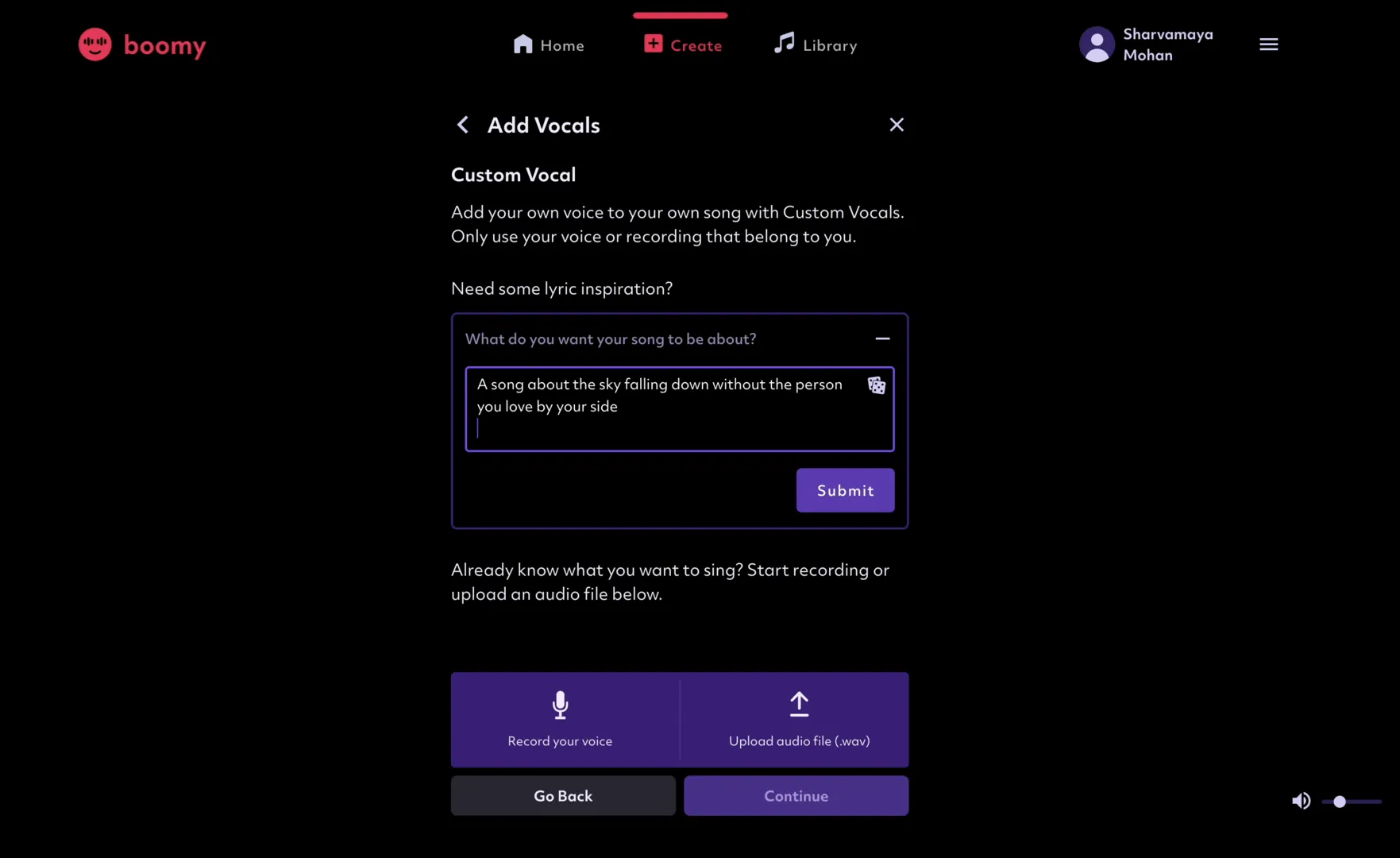
To wrap up, 'Bandwagon Banger' hit the nail on the head with the vibe that we input before generation, scoring points for accuracy. It also clearly presents the option for the track to stay instrumental or have words. However, the fact that we could only pick the overall vibe for the track from a set range of pre-fixed genres made the experience a bit more rigid, with a lack of creative freedom.
On the flipside, the personalisation with this website was top-notch, as it allowed us to add our own voice into tracks. All in all, the free version of Boomy scores a three for ease of song and/or melody generation, while it scores a four on ease of infusing your personal touch.
Ranking Boomy’s Free Plan:
Ease of song and/or melody generation: ⭐️⭐️⭐️
Ease of infusing your personal touch: ⭐️⭐️⭐️⭐️
To tie it all together, these tools are great to make music generation much easier — helping you discover the right vibe to inspire your song while allowing you to inject your own personal touch into the tracks. Being part of a digital world, the integration of AI in avenues that used to have a more "traditional" way of doing them is normal.
At the same time, the most important part of staying afloat in an industry that is making its shift toward AI is to always preserve that uniquely human touch that each of us has. Put your distinct trademark on your music, write those lyrics, and add your signature flair to it to make it uniquely you.
Like what you read? Show our writer some love!
2